R2D2
Stay with the text. Go deeper.
My roleCreator
01 / The context
A problem worth exploring.
Switching away from a difficult passage interrupts reading. The assistant uses selected text as the context for a focused question.
A native Windows reading assistant that turns highlighted text into explanations, simpler wording, definitions, and key takeaways.
02 / Inside the project
See how it works.
Choose a step, inspect the details, and explore the thinking behind the experience.
Recreated teaching interaction · fixed example answers · no model calls
Semantic search retrieves documents by comparing embeddings that represent the meaning of a query and its candidate texts.
One passage. Four ways to understand it.
Semantic search represents a query and documents as numerical vectors. Nearby vectors suggest related meanings, so a saved post can match even when it uses different words.
From the project
A closer look.
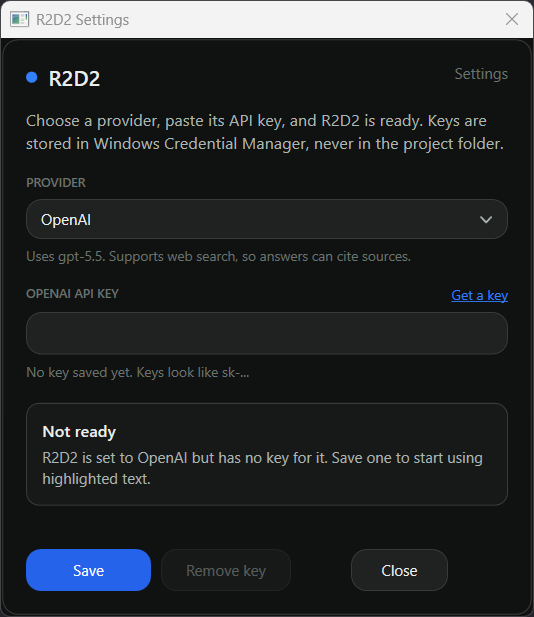
Original project assets. Open an image to inspect it at full resolution.
03 / Decisions & evidence
Behind the experience.
Approach & boundaries
The source implements a WPF sidebar and a provider catalog across three API formats. Selected text, the question, and recent conversation turns are sent to the selected provider. Keys are stored in Windows Credential Manager. The README says OpenAI has received the most testing; other provider paths are less exercised.
What the evidence shows
The source code and settings screenshots document the workflow. OCR, visible conversation history, and a UI control for canceling an answer are not implemented in the inspected version.
Sources & attribution
Reviewed against the linked public sources and supplied assets. Demonstrations on this page use fixed example content unless labeled as an original recording or screenshot.